
FlClash Download & Installation Guide
A cross-platform Clash client built with Flutter, designed for Windows, macOS, Linux, and Android. Features modern Material Design interface with lightweight performance. The original project is in maintenance mode; consider more actively maintained alternatives for long-term use.
FlClash Download
| Platform | Version | Proxy Accelerated | Direct GitHub |
|---|---|---|---|
| Windows | 0.8.90 | Download | Download |
| MacOS | 0.8.90 | Download | Download |
| Android | 0.8.90 | Download | Download |
| Linux | 0.8.90 | Download | Download |
Note:
Proxy Accelerated: Use a jump proxy to speed up access to GitHub. If direct GitHub is too slow, try Proxy Accelerated download.
Installation Steps
1. Install the Application
- If your CPU architecture is not listed above, check the official repository↗ for more options.
2. Get a Subscription
⚠️ Important:
Please note that FlClash is a proxy tool, not a proxy service provider. Installing it alone does not enable internet access. You need a subscription (service provider) to get started. If you are unsure how to choose a provider, read How to Choose the Right Provider↗.
If you don't have a subscription yet, click here to register and get 1GB free traffic↗
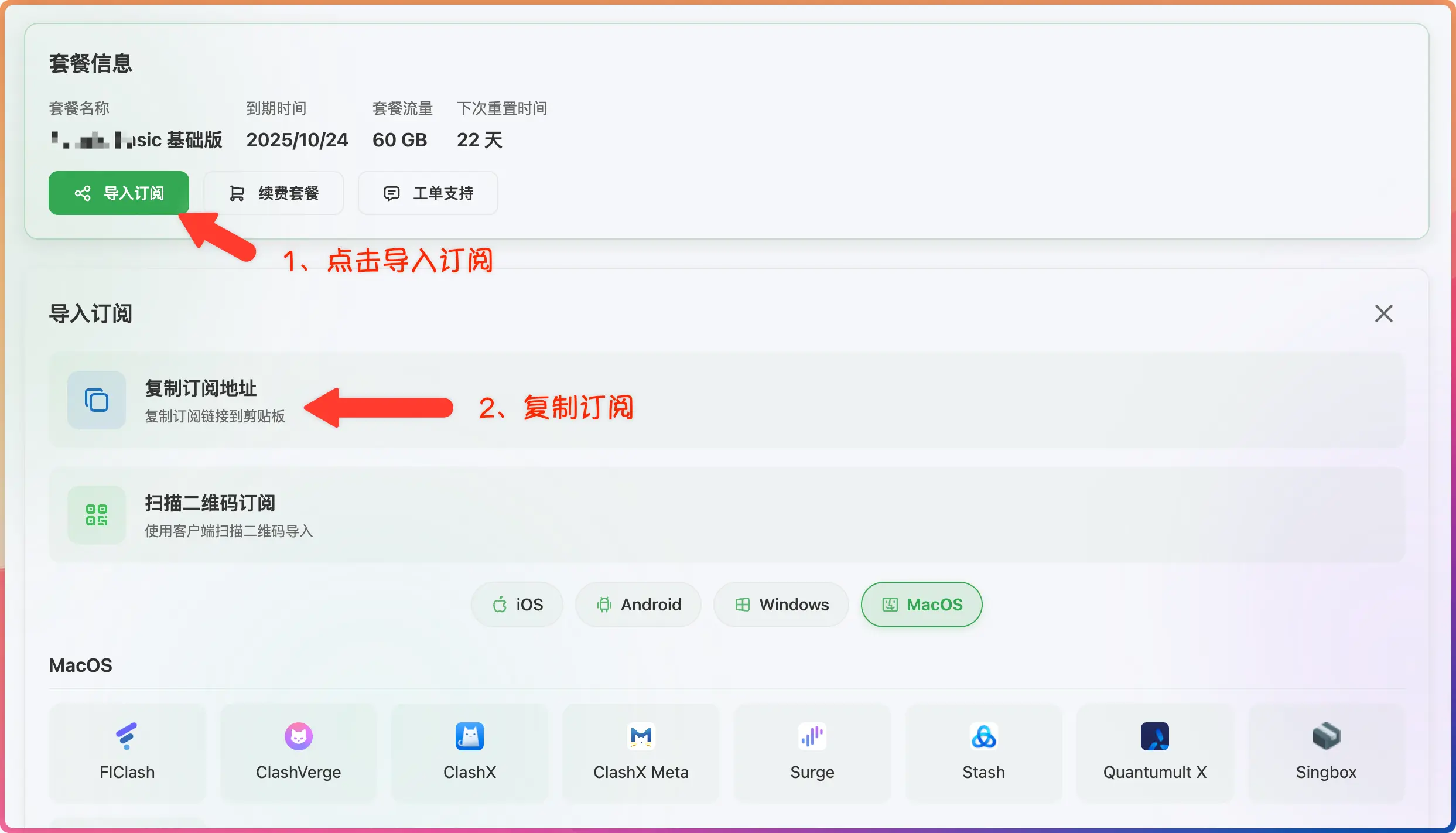
- Log in to the provider's official website
- Click to import subscription
- Click to copy subscription
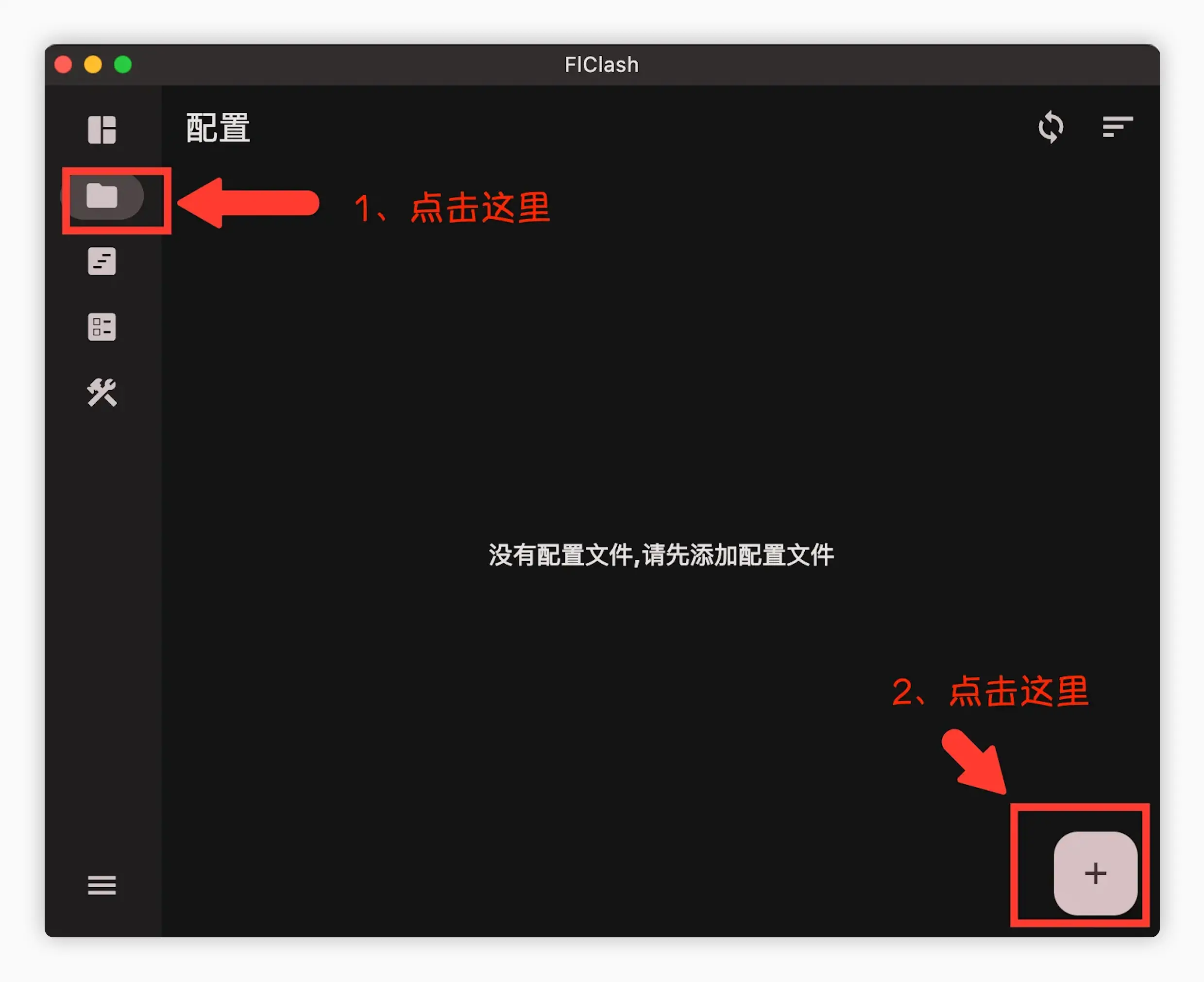
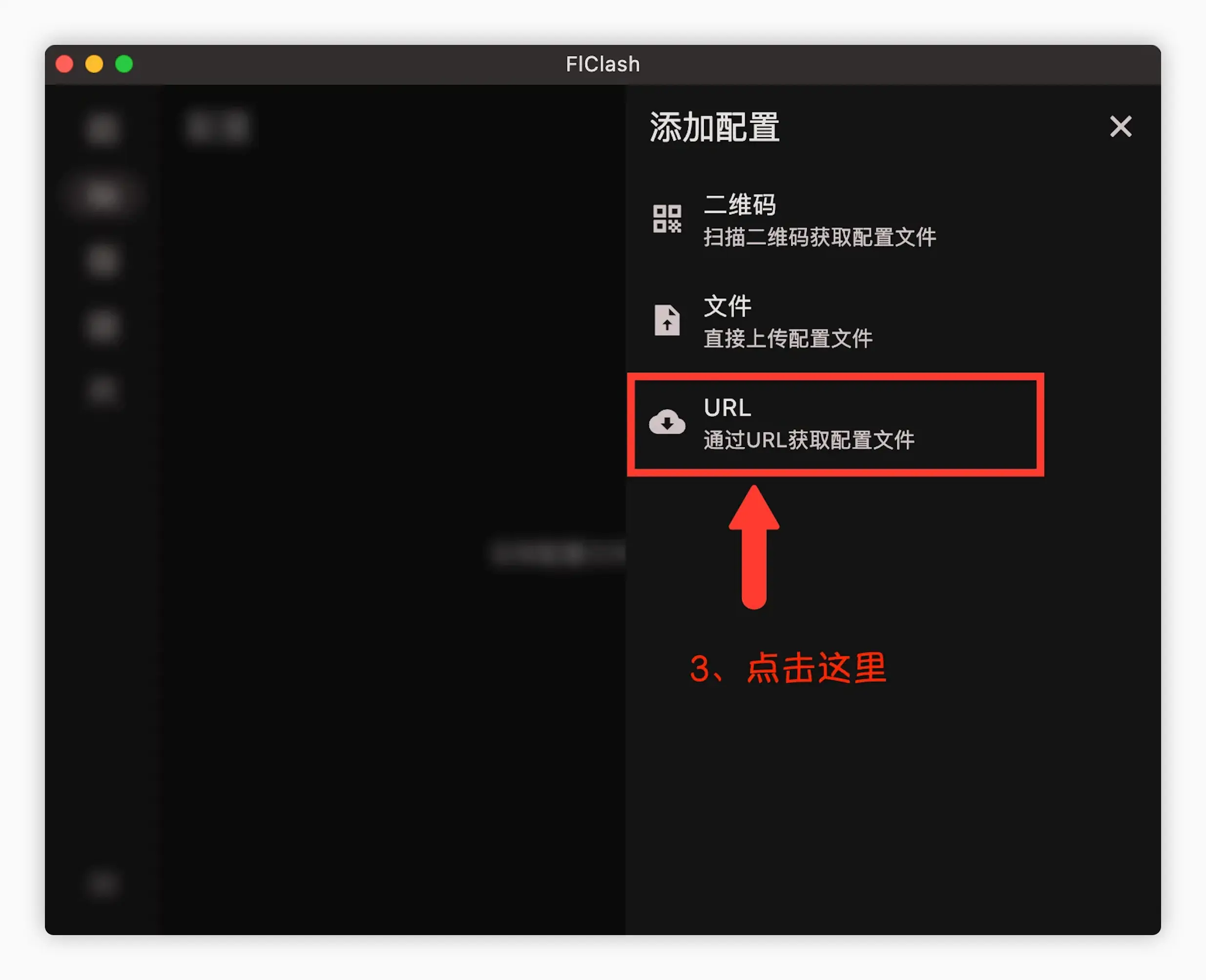
3. Import Subscription
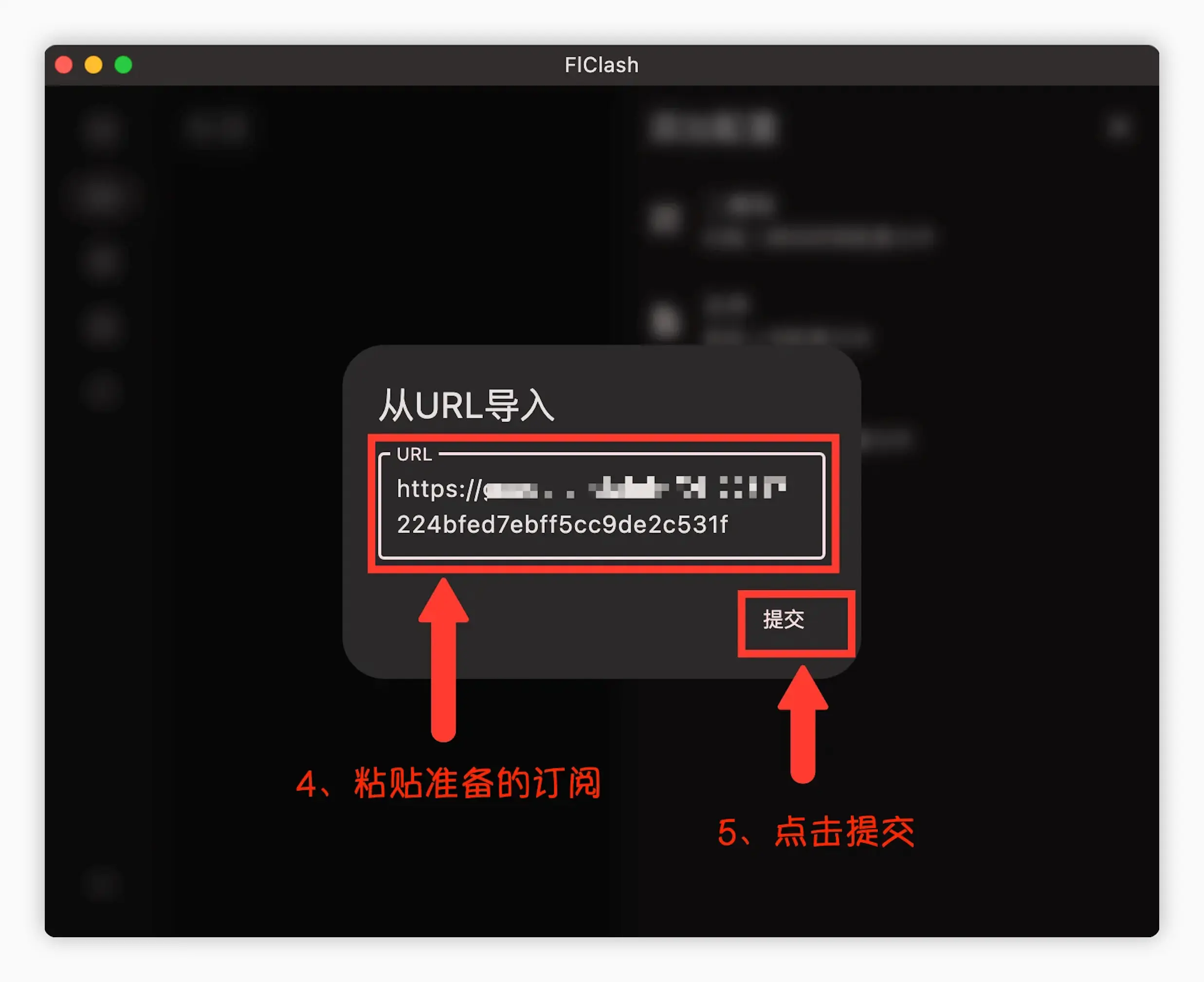
- Paste the subscription address
- Click to download subscription
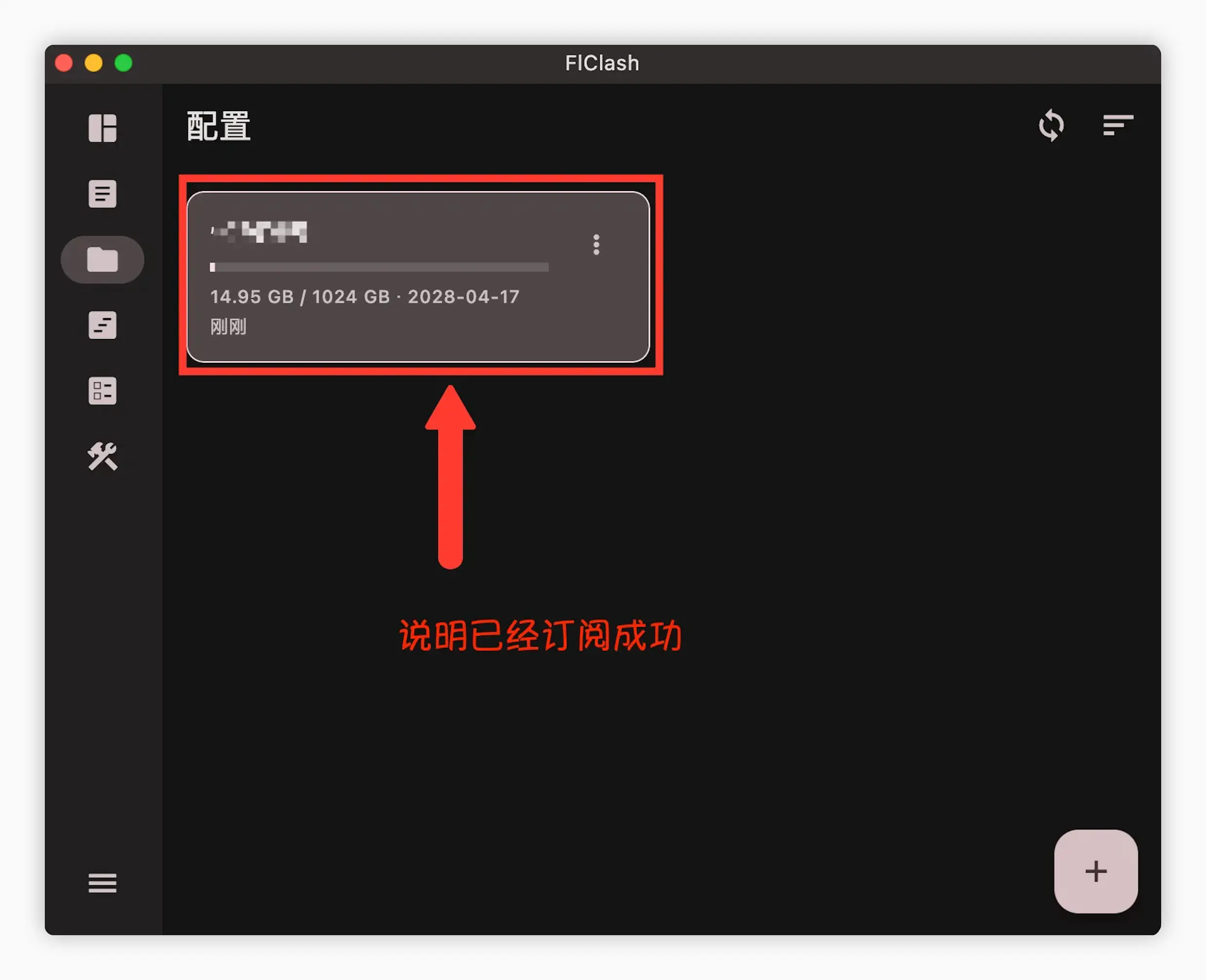
4. Start Proxy
- Click to start the proxy
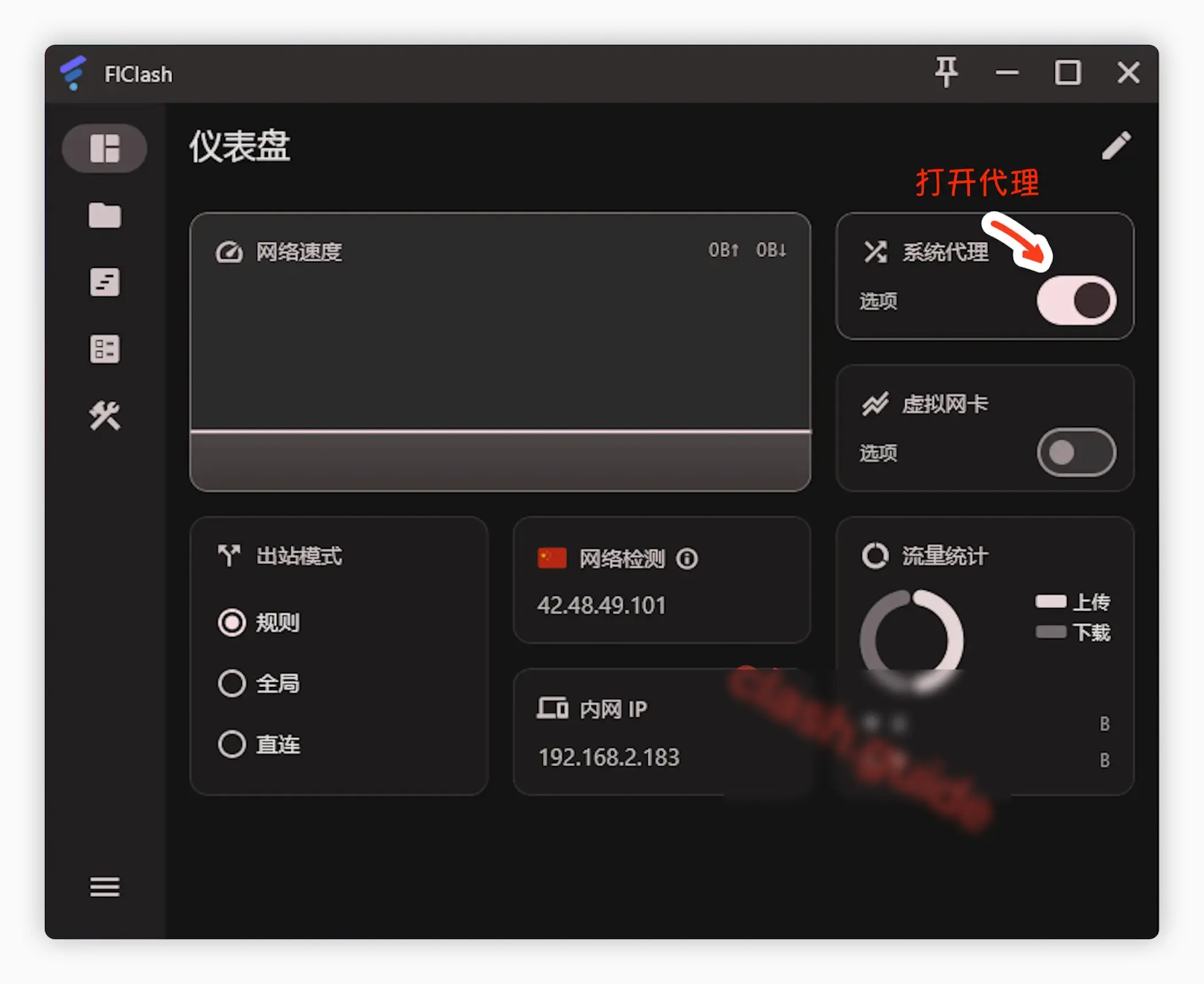
Common Issues
What to do if Clash subscription fetch always fails?
Proxy enabled but still can't access the internet?
📚 Related Tutorials & Resources
Cross-Platform Alternative Clients:
- Clash Verge - Modern cross-platform client with rich features
- Hiddify - Universal client for all platforms, complete protocol support
- Clash for Windows - Classic Windows client (discontinued)
- ClashX - macOS native client
- View All Clients
Quick Start Guide:
- Complete Clash Introduction - Understand proxy concepts and terminology
- Installation Tutorial - Step-by-step setup guide
- Subscription Import - Subscription management explained
- Advanced Settings - TUN mode, rule configuration
- Node Selection - How to choose the fastest node
Common Questions:
- FAQ Summary - Troubleshooting & solutions
- Provider Recommendations - Subscription service comparison
- Global/Rule/Direct Mode Differences
- Rule-Based Routing Explained
💡 FlClash Features
- ✅ Lightweight & Efficient - Built with Flutter, low resource usage
- ✅ Cross-Platform - Single codebase for 4 platforms
- ✅ Modern Interface - Material Design style
- ✅ Open Source & Free - GitHub open source, community maintained