
Shadowrocket Installation Guide
Shadowrocket (also known as 小火箭) is the most popular iOS proxy client. It's not available in the China mainland App Store; you need a foreign Apple ID account to purchase ($2.99). You can buy a pre-purchased account from platforms like Taobao for convenience, or register a US Apple ID yourself. Buying an existing account is recommended for simplicity, but you can also refer to this registration tutorial if you prefer DIY.
Installation Steps
1. Install the Application
- Install via the App Store
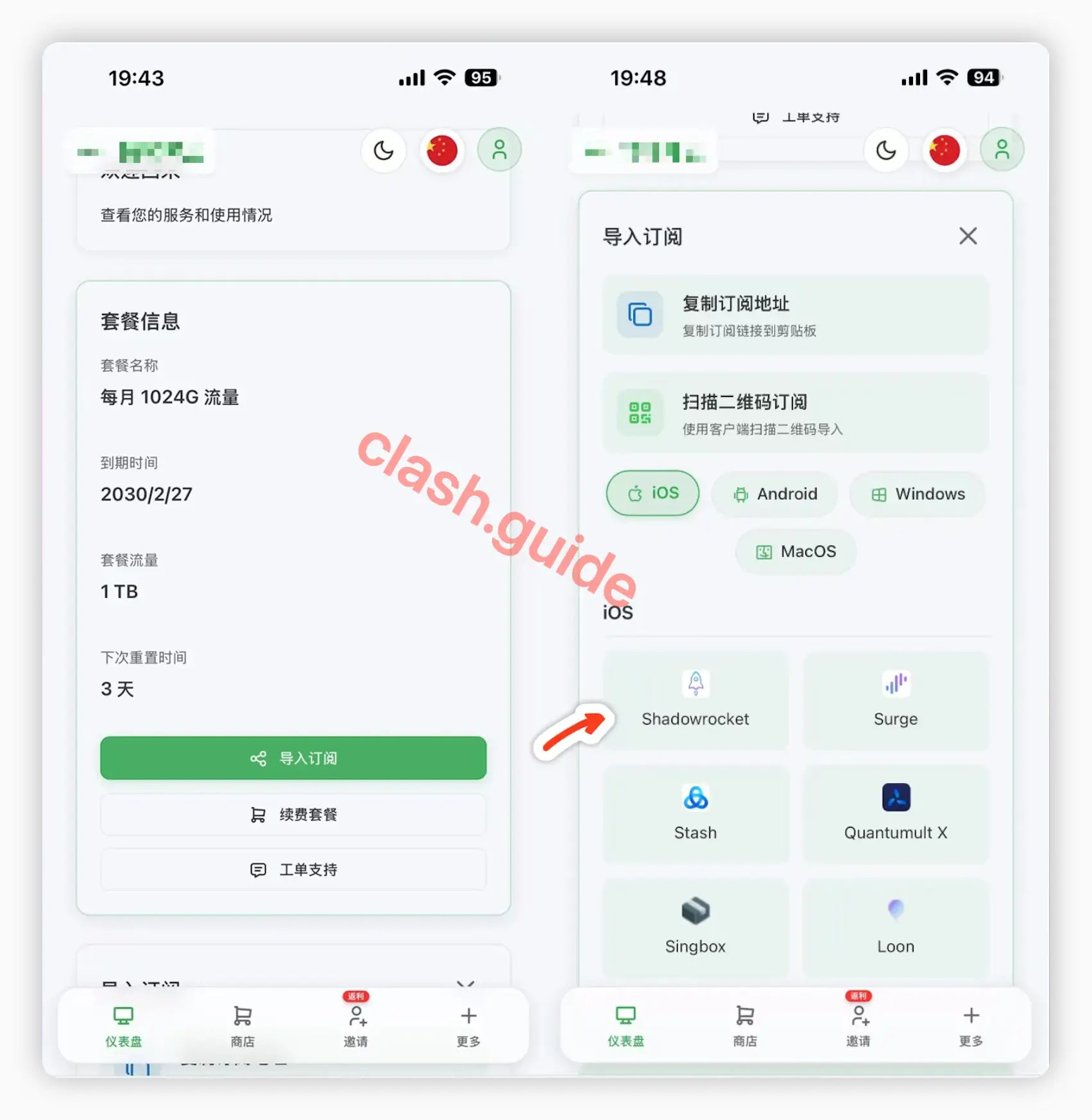
2. Get a Subscription
⚠️ Important:
Please note that Shadowrocket is a proxy tool, not a proxy service provider. Installing it alone does not enable internet access. You need a subscription (service provider) to get started. If you are unsure how to choose a provider, read How to Choose the Right Provider↗.
If you don't have a subscription yet, click here to register and get 1GB free traffic↗
- Log in to the provider's official website on your phone
- Tap the icon to automatically invoke the app
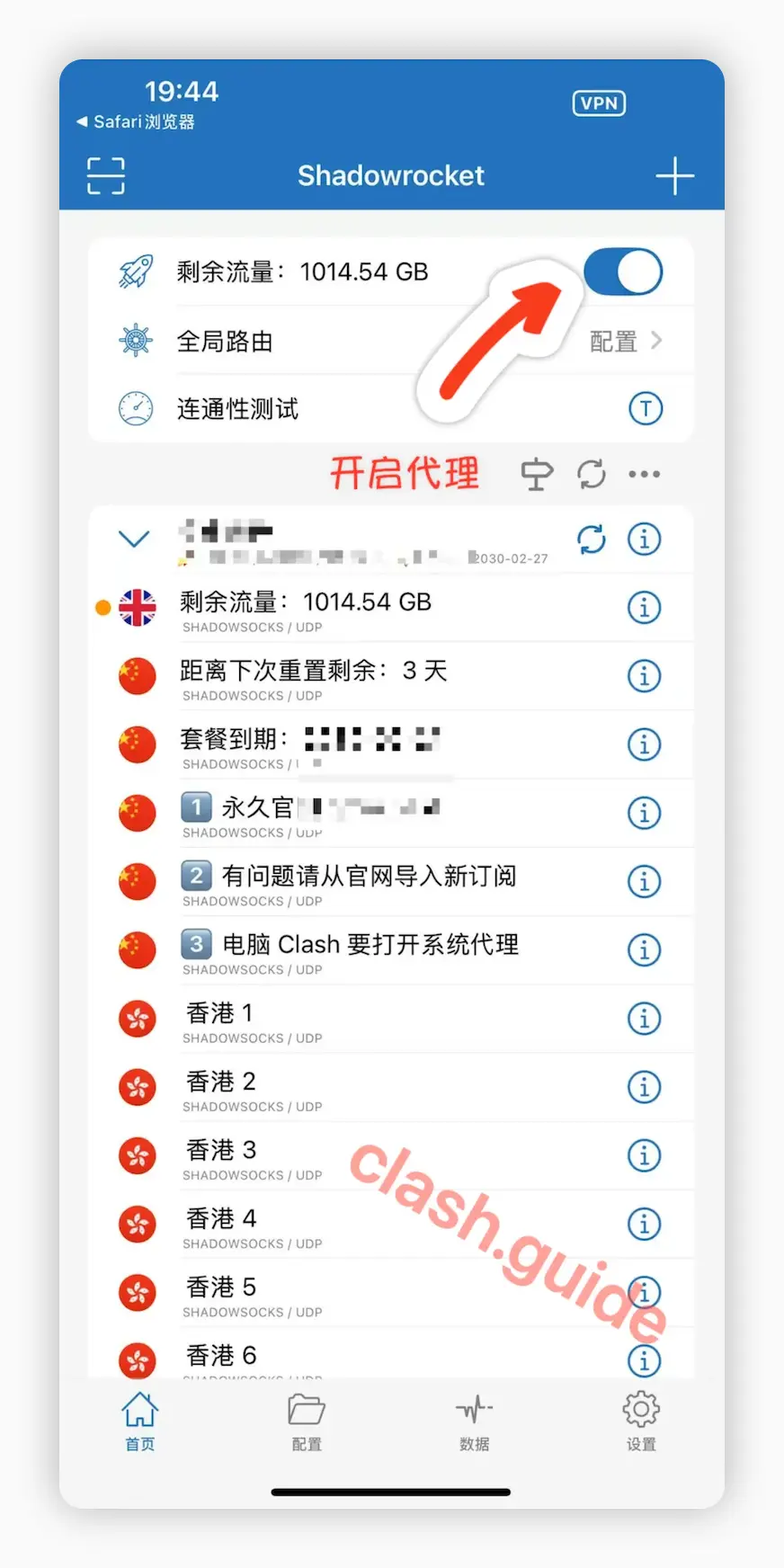
3. Start Proxy
Common Issues
What to do if Clash subscription fetch always fails?
Proxy enabled but still can't access the internet?
📚 Related Tutorials & Resources
iOS/Cross-Platform Alternative Clients:
- Hiddify - Universal client for all platforms, free iOS alternative
- Clash Verge - Modern cross-platform client
- FlClash - Flutter-based cross-platform client
- Clash for Windows - Classic Windows client
- ClashX - macOS native client
- View All Clients
Quick Start Guide:
- Complete Clash Introduction - Understand proxy concepts and terminology
- Installation Tutorial - Step-by-step setup guide
- Subscription Import - Subscription management explained
- Advanced Settings - TUN mode, rule configuration
- Node Selection - How to choose the fastest node
iOS Related Resources:
- Apple ID Registration Tutorial - US Apple ID setup guide
- Provider Recommendations - Subscription service comparison
- FAQ Summary - Troubleshooting & solutions
Common Questions:
💡 Shadowrocket Features
- ✅ iOS First Choice - 4.8/5 rating on App Store
- ✅ Simple Interface - Intuitive, beginner-friendly
- ✅ Powerful Rules - Support for custom rule-based routing
- ✅ Stable & Reliable - Long-term maintenance, excellent performance